Best Laptop Cleaners: How to Keep Your Computer Spotless
From microfiber cloths to compressed air, here's everything you need to know about keeping your laptop clean.
If you work from home, or even if you don't, your laptop is one of the dirtiest things you touch all day. The keyboard accumulates crumbs, skin cells, and bacteria. The screen builds up a fine film of fingerprints and oils. The vents collect dust that slowly throttles your machine's cooling performance. And yet most people either ignore all of this or grab a paper towel and household cleaner, which is somehow worse than doing nothing.
The right laptop cleaner approach isn't about buying the most expensive product, it's about using the right tool for each part of the machine. This guide walks through everything from screen cleaning to keyboard maintenance to vent care, with product recommendations for every step.
Why Laptop Cleaning Is Different from Regular Cleaning
Your laptop has several distinct zones that each need different care:
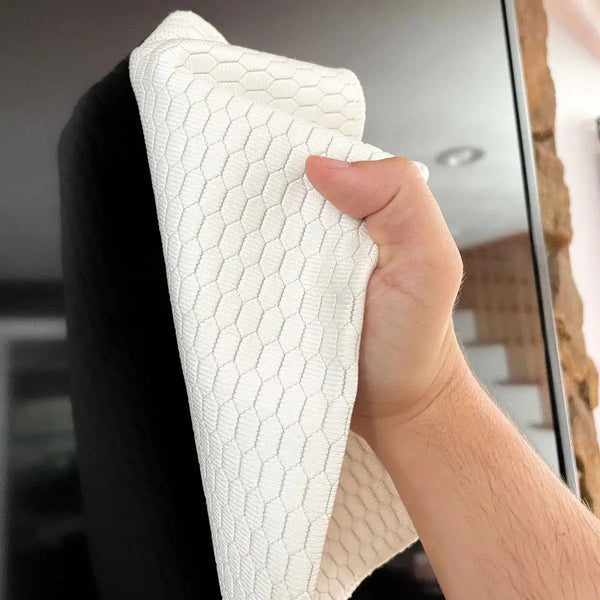
The screen, typically coated with anti-reflective and oleophobic treatments that respond very poorly to household cleaners, paper towels, or anything containing ammonia or bleach. MacBooks are especially vulnerable: Apple issued a repair program for early M1 MacBooks whose AR coating was damaged by owners cleaning with harsh products. See or Apple Cleaning Cloths here
The keyboard, mechanical or membrane keys that accumulate debris in every gap, with keycap surfaces that can degrade with alcohol and abrasive cleaning.
The trackpad, usually glass or a smooth plastic that's touched constantly. Oils and grime build up quickly.
The chassis and lid, typically aluminum, plastic, or carbon fiber. Usually the easiest part to clean, but still requires care to avoid scratching.
The vents and ports, accumulate dust that impacts thermal performance over time. These need different tools entirely, no liquids.
Clean these zones differently and you'll keep your laptop looking good and running well for years longer than if you clean everything the same way.
https://cleanmy.tech/products/premium-polishing-cloth-apple-products-other-devices
The Laptop Cleaning Kit: What to Include
Screen Cleaning Cloths and Sprays
This is the most critical zone to get right. The wrong product here causes permanent damage.
What works:
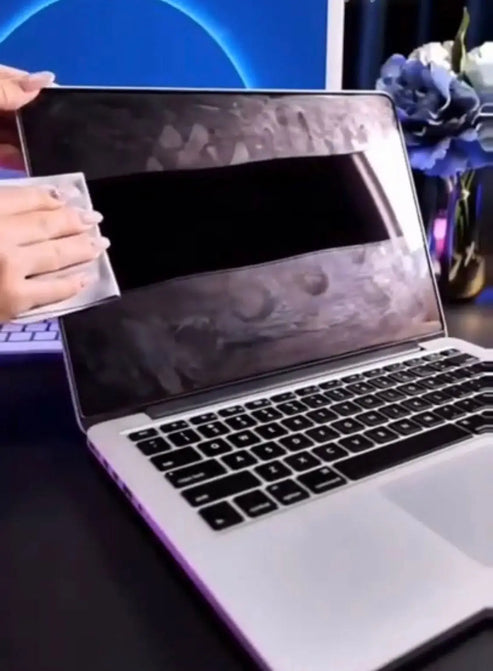
- Fine-weave microfiber cloth, the gold standard. A dry wipe with quality screen microfiber removes 80-90% of fingerprints and dust without any product at all.
- Alcohol-free screen spray, for deeper cleaning. Apply lightly to the cloth, never spray directly onto the screen.
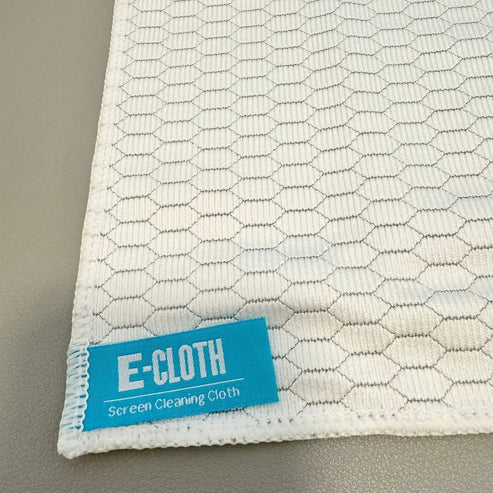
- E-Cloth screen cleaning cloth, our top pick for laptop screens. Cleans effectively with water alone, leaving no streaks on anti-reflective coatings.
What doesn't work and causes damage:
- Paper towels (scratches)
- Windex or window cleaner (ammonia strips coatings)
- Alcohol concentrations above 70% (degrades AR coating with repeated use)
- Rubbing aggressively while the screen is still dirty (wet-drag abrasion)
MacBook owners: Apple explicitly cautions against using certain types of cleaners. Use only a slightly damp (water) soft cloth or an Apple-approved screen cleaner. The AR coating on MacBook Pro displays is particularly sensitive.
Keyboard Cleaning Tools
The keyboard needs a different approach, it's about dislodging debris, not just wiping surfaces.
Air Dusters remain the most effective tool for getting debris out from between keys. Hold the laptop at a 75-degree angle and work across the keyboard in rows.
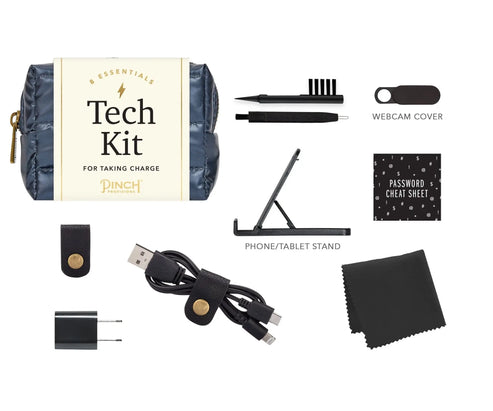
Soft brush, a small, clean paintbrush or dedicated keyboard brush helps dislodge stubborn debris before using compressed air. Don't press hard; you want to loosen, not scratch. Tech Cleaning Kit -->
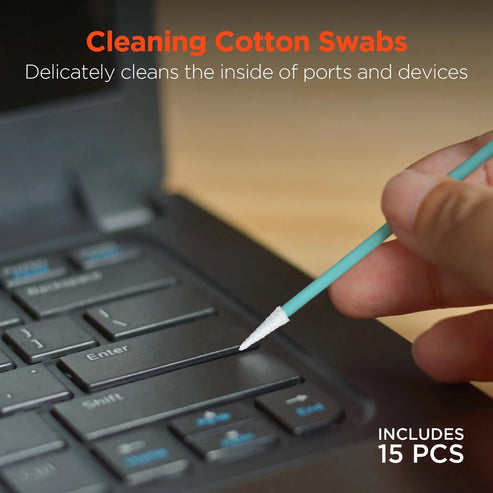
Isopropyl alcohol (70%) on a cotton swab, for cleaning individual keycap surfaces that have built-up grime. Wipe gently. Don't drip liquid into key gaps.
Microfiber cloth, for wiping the overall keyboard surface once debris is cleared. Dry or very lightly damp.
Port, Earbud, and Vent Cleaning
Ports (USB-C, headphone jack, SD card slot):
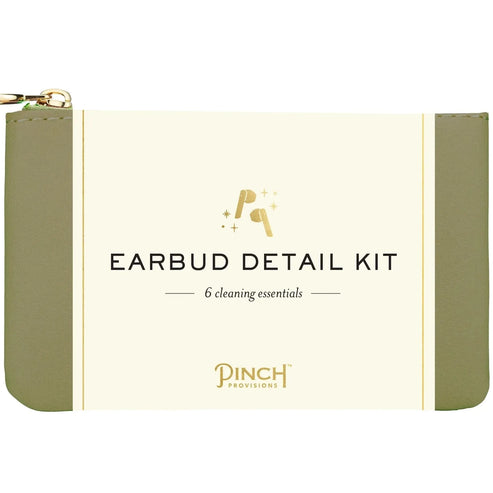
Our Pick: Earbud Detail Kit
A dry toothpick or port-cleaning brush can remove lint and debris from USB-C ports, particularly important since lint buildup can prevent proper connector seating. Compressed air works here too. Never use metal objects or liquid.
Cooling vents:
Clogged vents mean a hot laptop, which means throttled performance, reduced battery life, and accelerated component aging. A can of compressed air, held at the vent openings while the laptop is off, clears most dust buildup. For heavy accumulation, this may need to be done every 3-6 months.
Case and Lid Care
Aluminum (MacBook, premium PCs):
A slightly damp microfiber cloth handles most cleaning. For sticker residue or stubborn marks, 70% IPA on a cloth works well on aluminum without damage. Dry afterward to prevent water spots.
Plastic chassis:
Same approach, damp microfiber for routine cleaning, 70% IPA sparingly for stubborn marks. Avoid abrasive cloths that scratch glossy plastic.
Carbon fiber (ThinkPads, some gaming laptops):
Dry or very lightly damp microfiber. Carbon fiber surfaces can be porous, don't over-wet, and avoid products with silicone.
MacBook vs. PC: Different Cleaning Rules
Not all laptop screens are equal. This distinction matters most for screen cleaning:
MacBook screens have an Apple-proprietary anti-reflective coating that is notably sensitive. Apple's official guidance: use a soft, lint-free cloth, dampened with water only (no sprays). The nano-texture glass on M4 MacBook Pros requires a special polishing cloth (included with the device).
PC laptops vary widely. Gaming laptops often have glossy screens without AR coating, more forgiving. Business laptops typically have matte anti-glare coatings, more sensitive. Check your laptop's documentation if you're unsure.
As a universal rule: Always start with a dry microfiber wipe. Add liquid only if necessary. Apply liquid to the cloth, not the screen. Let the screen air dry or do a final dry-wipe pass. This protocol is safe for virtually every laptop display on the market.
Our Top Laptop Cleaning Product
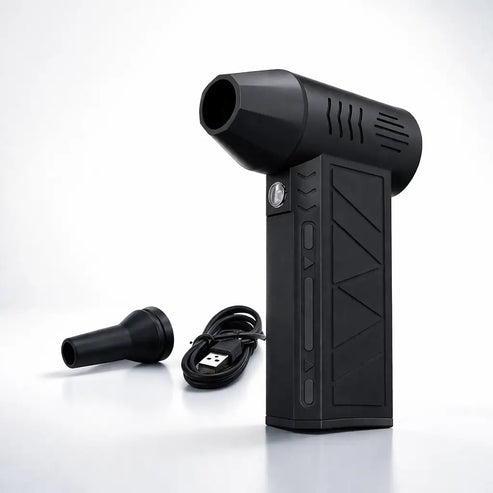
Top Pick - 130,000 RPM Cordless Electric Air Duster
E-Cloth Screen Cleaning Cloth, The safest choice for any laptop screen. Cleans with water alone, no spray needed, no risk of coating damage from chemicals. The cloth is specifically engineered for coated glass surfaces.
SILVADUR Antimicrobial Microfiber Cloth, Our pick for keyboards and trackpads, where bacterial load is high. The antimicrobial silver-ion treatment prevents bacteria from building up in the cloth between uses.
SmartChoice Microfiber Cloth Set, Good value option for general laptop exterior cleaning: lid, palm rests, bottom of chassis. Keep several and wash them regularly.
Step-by-Step: How to Clean Your Laptop the Right Way
1. Power off completely (not just sleep) and unplug from power.
2. Disconnect all peripherals, mouse, USB drives, charger.
3. Screen first: Dry wipe with fine microfiber to remove loose dust and fingerprints. If needed, lightly dampen the cloth and wipe in gentle, consistent strokes from top to bottom. Let air dry or follow with a dry pass.
4. Keyboard: Hold at an angle, use compressed air across the keys in rows. Follow with a dry brush sweep if needed. Wipe keycap surfaces with slightly damp microfiber or a 70% IPA cotton swab for heavily soiled keys.
5. Trackpad: Dry microfiber, then lightly damp if needed. Circular motion is fine here.
6. Chassis and lid: Damp microfiber for general cleaning. IPA sparingly for marks.
7. Ports: Compressed air and/or a dry port brush. No liquids in ports.
8. Vents: Compressed air at vent openings while powered off. Short bursts.
9. Let fully dry before powering back on, especially if you used any liquid near the keyboard.
_____________________________________________________
Laptop Cleaning FAQ's
Can I use alcohol wipes on my laptop screen?
For most screens: 70% IPA wipes, used sparingly and not as a daily habit. For MacBook screens: avoid, stick to water on cloth. For gaming laptops with glossy screens: usually fine in moderation. When in doubt, use water on a quality microfiber cloth.
How do I clean under my keyboard keys?
Electric Rechargeable High-Powered Air Dusters are the most practical solution without risking damage. For laptops with removable keycaps (some mechanical keyboards), you can pop caps off and clean beneath them, but standard laptop keys are generally not designed for removal.
Is it safe to spray cleaner directly on the screen?
No. Always apply any liquid to the cloth first. Direct spray risks liquid seeping into the display bezel and causing internal damage.
How often should I clean my laptop?
Screen: whenever fingerprints or dust bother you, many people do a dry wipe daily. Keyboard: compressed air every 1-3 months, surface wipe weekly. Vents: compressed air every 3-6 months, more often in dusty environments.
_____________________________________________________
Regular laptop cleaning isn't just about aesthetics. A clean screen reduces eye strain. A debris-free keyboard prevents keycap wear and sticky keys. Clear vents keep your machine running at designed temperatures, which protects the processor and battery long-term. It's one of the simplest forms of laptop maintenance, and one of the most overlooked.
